Library
Neon art cards
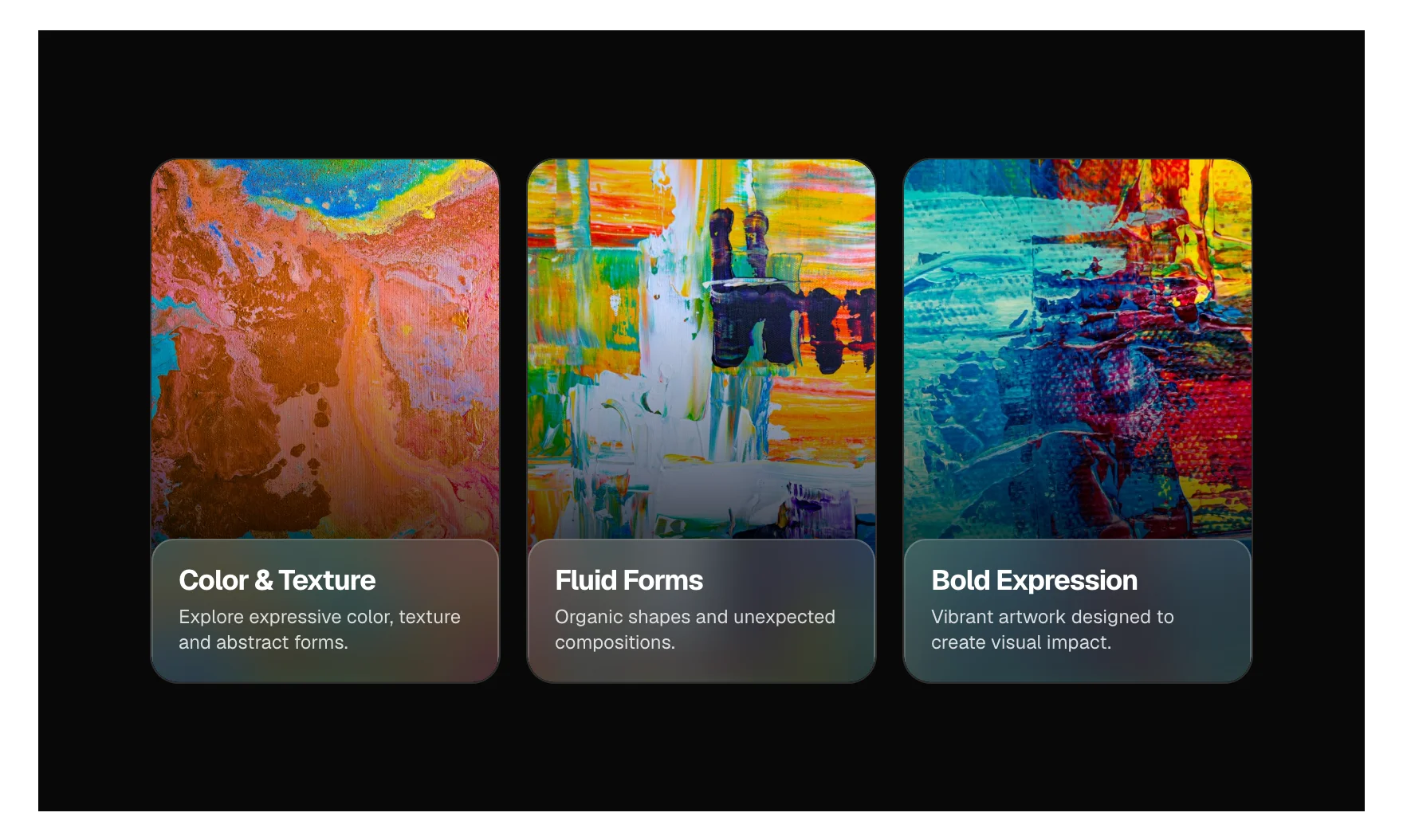
A row of tall picture cards on a dark band. Each card carries a frosted glass panel with a title and a line of text; point at a card and it rises, its picture moves closer, the panel slides up to show a glowing outline button, and the other cards step back into shadow. A tap or the keyboard opens a card the same way. One small script, no plugin.
ComponentInteractive
Live preview


What you can build with it
A featured collections row for a gallery, a studio or a shop. Three services or categories, each with a picture and one way in. A portfolio teaser where each card leads to a case study. A dark showcase band between two light sections.
Props
label (text, the name of the group for screen readers); items (repeater: image, alt, title, description, linkLabel, url); variant (select: dark band as designed, or no ground so the cards sit on your own section)
States shown
Rest: every card whole, the panel showing the title and the text, the button below the edge. Hover (mouse): the card lifts and grows a little with a deep shadow, the picture zooms, the panel rises to show the button, the other cards dim, desaturate and shrink. Open (a click, a tap, or Enter and Space on the card): the same raised state, held; opening one closes the others, and on a touch screen the others dim. Keyboard focus on the button raises its card so the button is never focused out of sight. Button: hover and press lift it and deepen its fill. More cards than fit scroll sideways and snap. Reduced motion: every change is instant.
How to change it
Content and options are 3 props in the component's settings panel. The look is dark by design and does not follow the colour scheme: the card size, gap, corners, ground and easing are variables at the top of the .neon-cards class, and the neon takes your accent colour, or primary on a site without one. For anything else, edit the classes in the Style Manager, starting with .neon-cards. Its behaviour is a small script that travels with the component; no plugin and nothing to install.
ACSS tokens used
accent (falls back to primary) for the neon; everything else is the component's own variables on .neon-cards (–nc-width, –nc-height, –nc-gap, –nc-radius, –nc-ground, –nc-face, –nc-ease), because the look is dark by design and does not follow the colour scheme.
ACSS requirements
ACSS 4 defaults. Nothing to switch on. Place it under a section heading: its card titles are H3. The neon takes your accent colour, or primary on a site without one.
Version history
Version 1.0.0, October 1, 2026: First release.
Tested with
Etch 1.6.7 and ACSS 4.0.1. Version 1.0.0.
Lifetime members
Members copy this straight into Etch, ready to paste.
Used an earlier version? How to update it
Get lifetime accessOther builders
Want EtchPress for Bricks or the block editor?
Everything here is made for Etch. Pick the builder you use and leave your email: we write once, when EtchPress works there.